Humble Speed Test on the DNS-343
Recently I am in the mood of doing transfer test on the NAS I managed to lay my hands on. So the D-Link DNS-343 won’t escape its fate of my network speed test! So let review DNS-343’s speed.
Just to fill you guys in, my network is capable of handling gigabit transfer rate and it is proudly powered by DIR-655 and D-Link’s Green Ethernet DGS-1008D Gigabit switch. Next, allow me to share with you guys the equipments I used to perform this test.
Equipments used
- DGS-1008D
- DNS-343
- 2 x Seagate Barracuda 7200.10 250GB (ST3250620AS)
- 2 x Seagate Barracuda 7200.10 320GB (ST3320620AS)
- My trusty computer (using Broadcom NetXtreme Gigabit Ethernet)
- A couple of CAT5E cables
The DNS-343’s information:
- Firmware: 1.01
- Jumbo Frame: NOT Enabled
- Factory default state
- Single disk in Test 1
- Two disks in RAID Level 0 in Test 2
- Four disks in RAID Level 0 in Test 3
- Four disks in RAID Level 5 in Test 4
My computer’s information:
- Jumbo Frame: Not Enabled
- Broadcom NetXtreme Gigabit Ethernet
Test 1 – Single Disk
In this test, the DNS-343 is equipped with only one hard disk. Copied a combined huge file (~10GB) onto the network share (provided by DNS-343), then copied the file down back onto my computer. The achieved speeds are as follows:
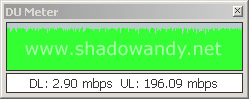
Upload speed to the DNS-343 (196.09mbps)
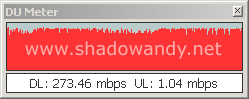
Download speed from the DNS-343 (273.46mbps)
I would say the speed is rather impressive when compared to the Speed Test on the DNS-323.
Test 2 – Two Disks in RAID Level 0 (Stripped set without parity)
In this test, the DNS-343 is equipped with two hard disks running in RAID Level 0. Did the same procedure as the previous test – copied a huge file onto the network share and then copying it back onto my computer. Lets see how the DNS-343 perform.
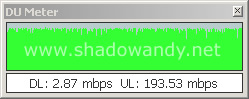
Upload speed to the DNS-343 (193.53mbps)
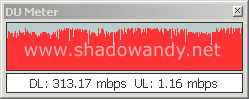
Download speed from the DNS-343 (313.17mbps)
Wow! I didn’t know that RAID0 would provide so much of a speed boost in terms of reading! 313.17mbps!
Test 3 – Four Disks in RAID Level 0 (Stripped set without parity)
The DNS-343 is equipped with four hard disks running in RAID Level 0. The test procedures are the same as previous test cases.
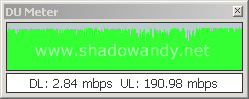
Upload speed to the DNS-343 (190.98mbps)
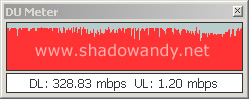
Download speed from the DNS-343 (328.83mbps)
Test 4 – Four Disks in RAID Level 5 (Stripped set with distributed parity)
The DNS-343 is equipped with four hard disks running in RAID Level 5. Let’s look at the results.
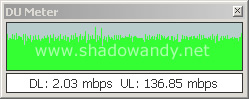
Upload speed to the DNS-343 (136.85mbps)
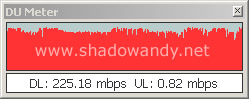
Download speed from the DNS-343 (225.18mbps)
It seems like the transfer speeds are not exactly fantastic in the RAID Level 5 test. Guess that is the cost of having redundancy. In RAID 5, my data would be safe if there is only a single hard disk failure and I can easily rebuild the data by inserting a working hard disk. Anybody can explain why the RAID 5’s decrease in speed?